01
Clean, occlusion-free slides
Real-pixel compositing rebuilds the parts of a slide the presenter, cursor, or laser was covering — reconstructed from other frames, never invented by a model. Decks and whiteboards alike.
Slides + transcript + notes — not a transcript alone
Not a slide-ripper. Not a transcript. Not a summary that invents things. PairedY pulls the clean slides out of the video, transcribes what was said, and writes detailed notes that fuse the two — then gives you a workspace.
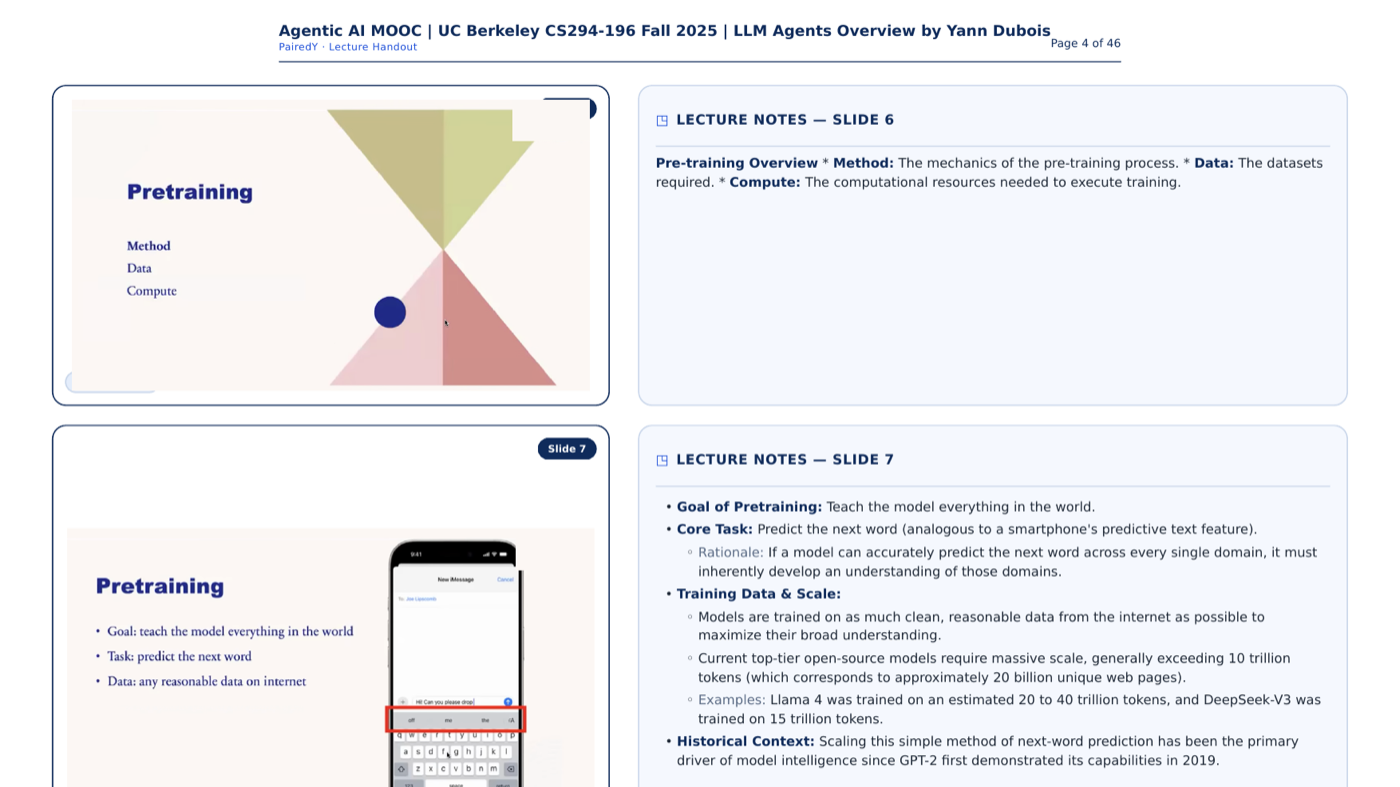
Three views, paired — clean slides, the timestamped transcript, and detailed notes fusing what's shown with what was said.
A workspace to study — highlight, take notes, ask AI, and search the web, all pinned to the slide.
Grounded, never invented — every note and answer traces back to the slide and the second it came from.
A real run: a 2-hour Berkeley lecture, converted end to end — clean slides, notes paired to the narration, and a workspace to question them.
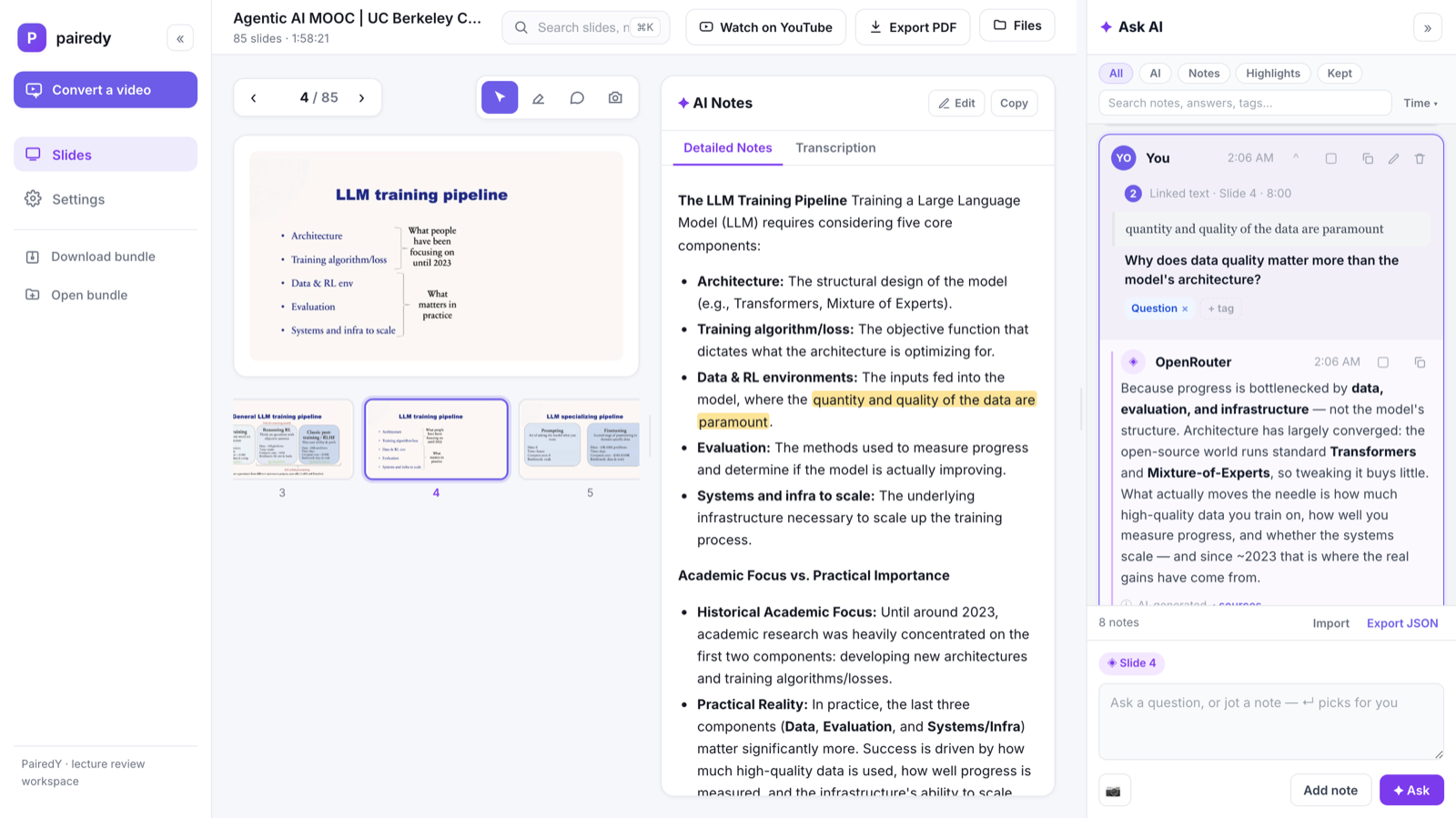
The lecture, rebuilt as a workspace — the slide, its notes and transcript, your highlights, and the Ask-AI panel, all pinned together. See every feature →
What makes it different
Real-pixel compositing rebuilds the parts of a slide the presenter, cursor, or laser was covering — reconstructed from other frames, never invented by a model. Decks and whiteboards alike.
Per-slide OCR of text, equations, code, tables, and figures, aligned against the timestamped narration — so each slide carries clean Detailed Notes and the raw Transcription of what was said about it.
Highlight the notes in yellow or blue, screenshot a figure, or jot a note — everything pins back to the exact slide and second it came from. Not a transcript dump: a place to actually study.
Type and press Enter — a fast, cheap router reads your message and routes it: a reaction is saved as a note, a question engages the assistant, a “diagram this” makes a visual. You never pre-pick.
Ask about any selection or the whole slide. The answer is saved as a card linked to that passage, with rendered math and code and a provenance row showing exactly what it drew on.
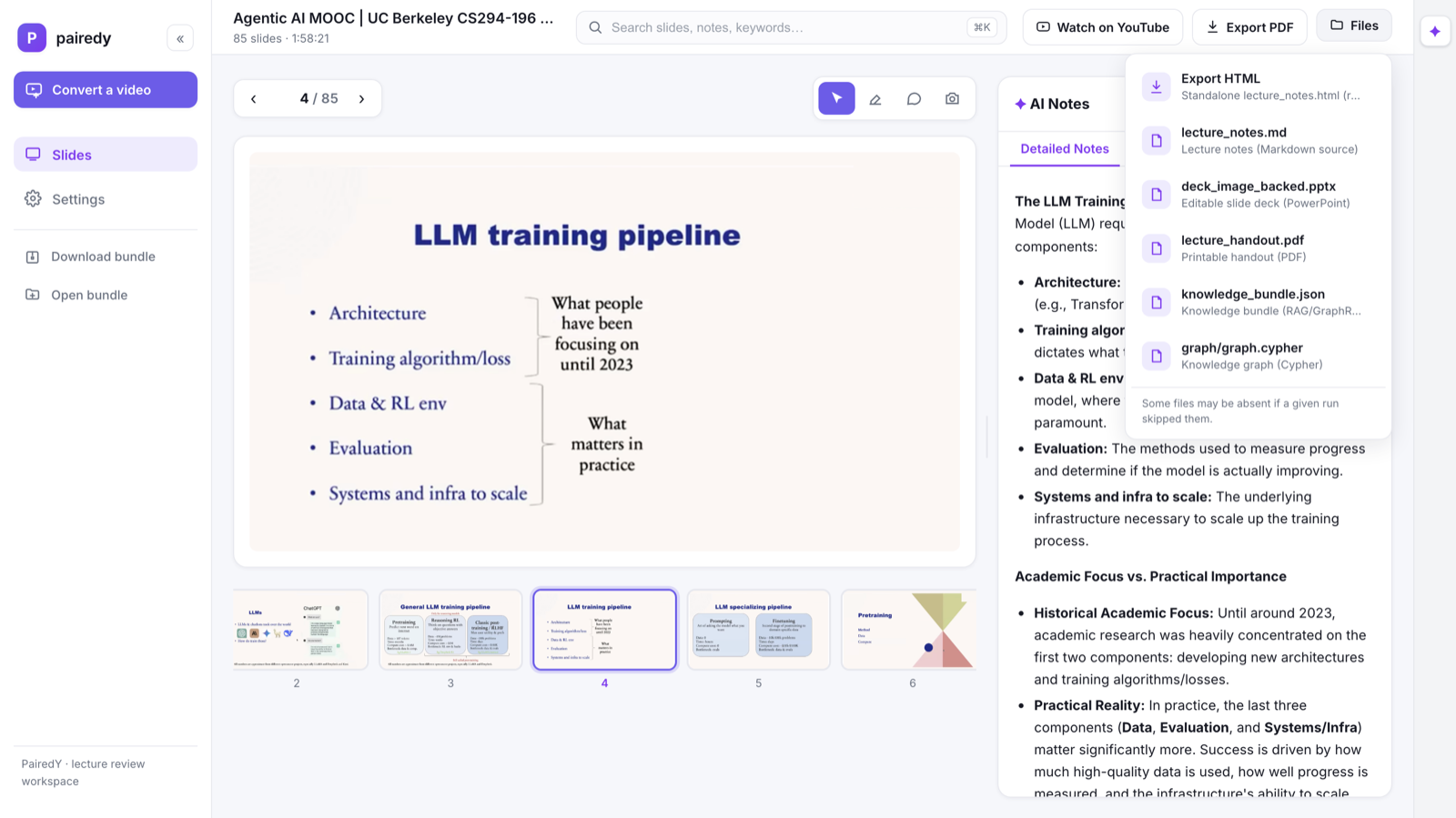
Every run exports to files you own: clean slides, an editable PPTX with speaker notes, an annotated handout PDF, notes as JSON, and a portable knowledge bundle — named after the video.
The intent router
A fast, cheap model reads each composer message and routes it — a reaction saves as a note with no AI call, a question engages the assistant, a “diagram this” makes a visual. And every note, highlight, and answer pins to the slide it came from, stacking in one panel across the whole deck.
Open the app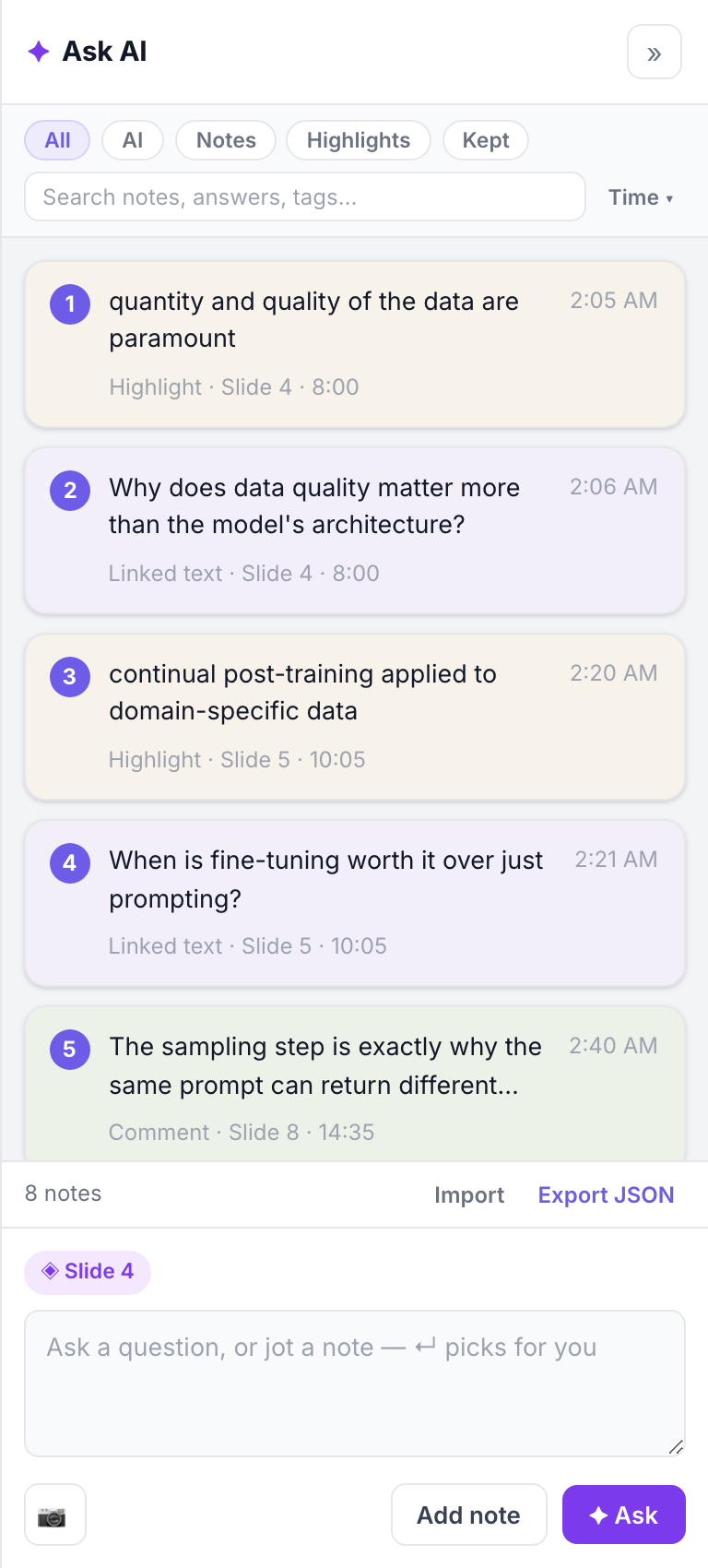
Deep control
Pick the language, vision, image, and router models; bring your own key (it stays in your browser); toggle web search and visuals; and edit every prompt the pipeline sends.
Open Settings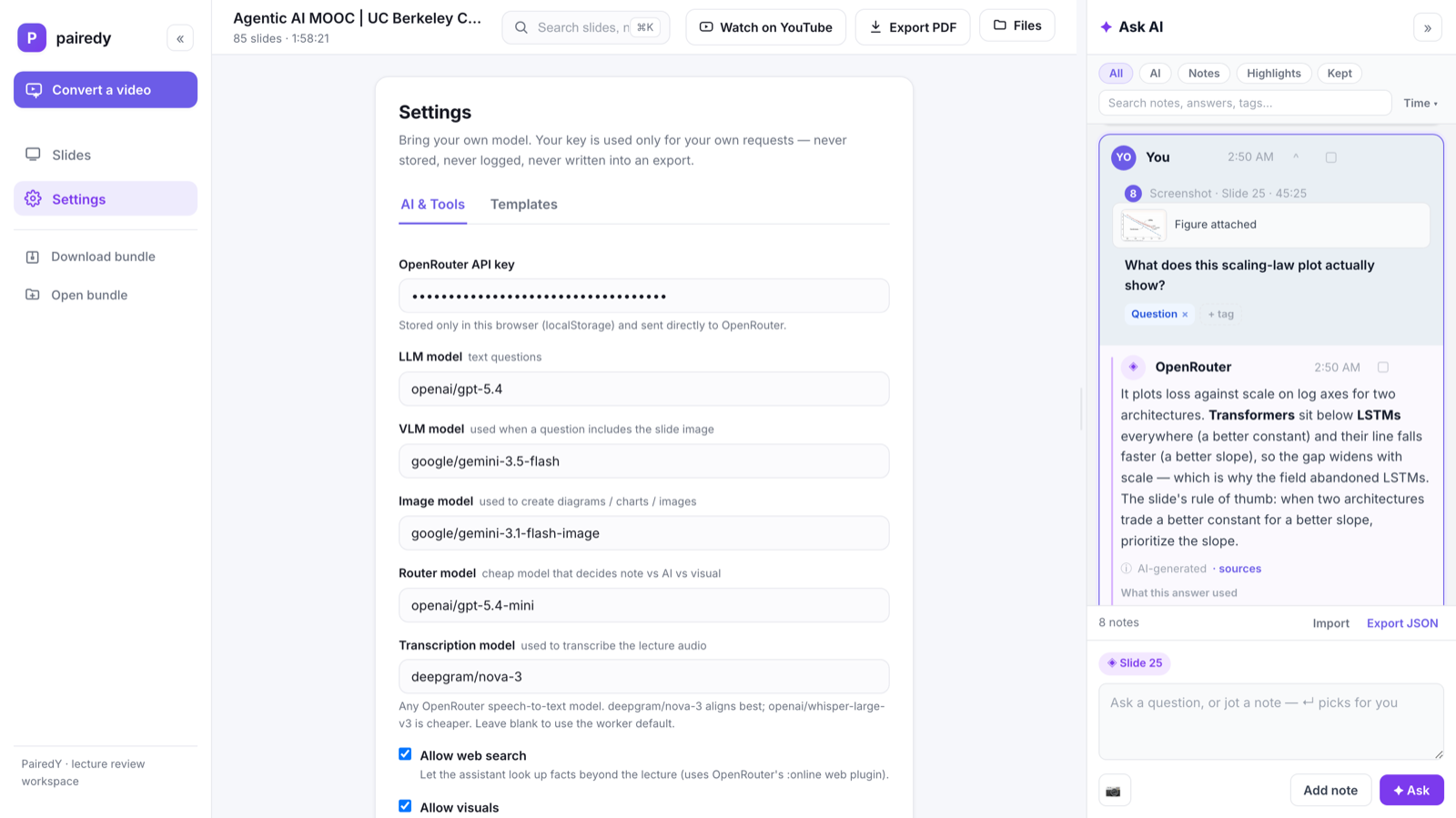
Yours to keep
Every run exports to files you own — clean slides, an editable PPTX with speaker notes, a printable handout PDF, Markdown, notes JSON, and a portable knowledge bundle. Grab the whole bundle in one click, or open a bundle someone sent you and pick up where they left off.
How it works
Paste a link. A YouTube URL, or upload a file you already have.
We find the slides. Boundary detection, crop and deskew, de-occlusion, dedupe.
We read and align. Vision-model OCR fused with the timestamped transcript.
You open the workspace. Slides, notes, Ask AI, highlights — and exports you own.
Why not just…?
NotebookLM reads the transcript. Turbolearn makes flashcards. A slide-ripper hands you a deck. PairedY does all of it — clean slides, notes paired to the narration, and answers pinned to the exact spot — and it's yours to keep.
| PairedY | NotebookLM | Turbolearn AI | Otter.ai | Video→slides tools | |
|---|---|---|---|---|---|
| Clean, de-occluded slides pulled from the video | ✓ | — | — | — | ~ |
| Notes paired to the timestamped narration | ✓ | ~ | ✓ | ~ | — |
| Highlights & AI answers pinned to the exact slide | ✓ | — | — | — | — |
| Screenshot a figure and ask about it | ✓ | — | — | — | — |
| Bring your own model / key | ✓ | — | — | — | — |
| Editable exports you own (PPTX / PDF / bundle) | ✓ | ~ | ~ | ~ | ✓ |
| Open-source & self-hostable | ✓ | — | — | — | — |
| Price | Free · open-source | Free | ~$20/mo | Freemium | Freemium |
Compared with the tools we're asked about most, to the best of our knowledge as of July 2026 — corrections welcome. ~ = partial. “Video→slides tools” covers apps like ScreenApp and SlidesPilot that rip or generate a deck from a video.
Conversion runs on our workers — no key needed to start. Bring your own model when you want to ask questions of the result.